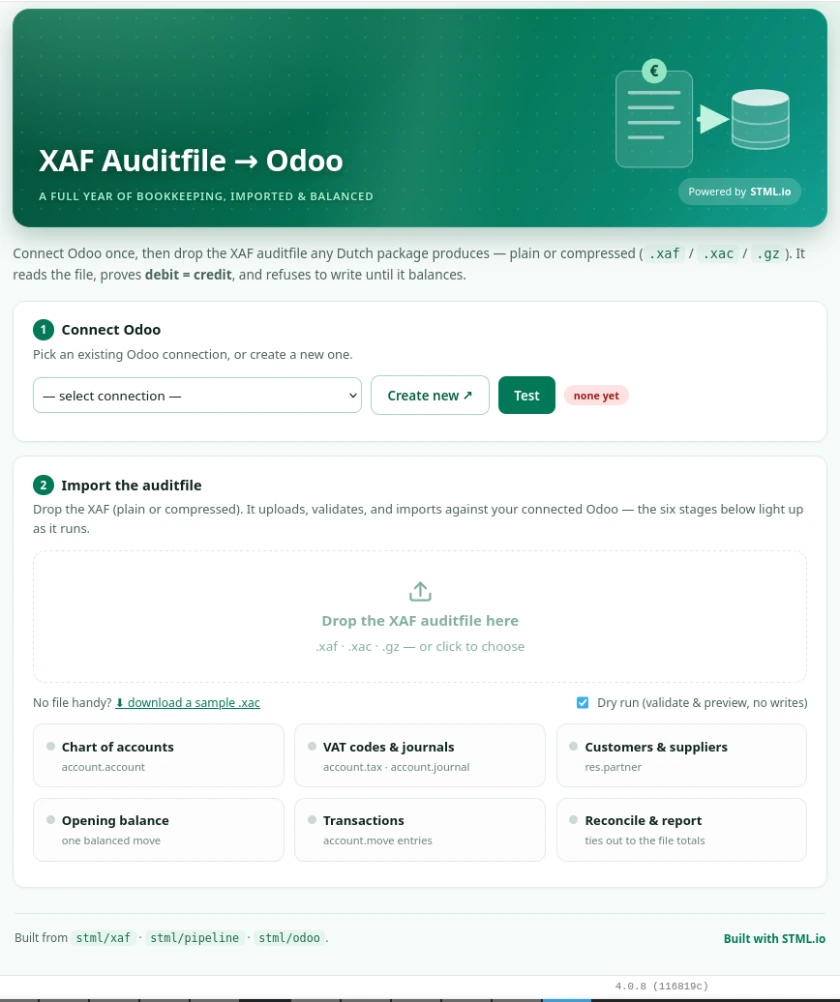
XAF Auditfile to Odoo
Your client's new Odoo shouldn't start empty! Need a quick and reliable way to get your historical financial data loaded into Odoo?
Starting fresh with opening balances is defensible on paper. In practice it means a client who can't compare this quarter to last year, a controller who keeps the old package alive "just for lookups", and an auditor asking for records that live in a different system.
Data Quality Reports
Analyze the file and understand what would happen before you import.
It balances, or it doesn’t post
The import reads the auditfile and proves it before writing anything to Odoo:
- Debit equals credit on every transaction
- File totals match the declared totals
- The opening balance itself balances
- Every reference resolves — accounts, VAT codes, journals, relations
- Dates fall inside the declared financial year
Why this matters for administrators and accountancy firms?
One route, every client.
You are not building a connector per source package. XAF is the statutory export format, so the same import handles the client on Exact and the client on AFAS and the client on something nobody supports anymore. The work you do once applies to your whole portfolio.
Run it early, run it again.
Load a year, look at it in Odoo, run the next one. Your client validates their own numbers during implementation instead of on go-live weekend, and the demo shows their data rather than sample data.
Kills the reason to keep the legacy licence.
Once the history is in Odoo, the old environment can be switched off — and that saving is usually easy for the client to see.
Predictable enough to quote.
Because the route is the same every time, so is the estimate. Historical data stops being the open-ended line item you talk clients out of, and becomes a service you can scope, price and sell.
Retention handled where the work happens.
Seven years of accessible records is a legal requirement, not a nice-to-have. Keeping it inside the live system beats keeping the old package on life support.
Honors the Odoo Accounting program rules
No need for anything special, works fully in the boundary of the Odoo program
Drag and Drop import into Odoo
Simply drop the auditfile
How it works
The solution runs on the STML platform as an Odoo app.
- Connect the target Odoo environment.
- Drop the client’s XAF file — one file, or one per financial year.
- The file is read and checked (dry run: validate and preview, no writes).
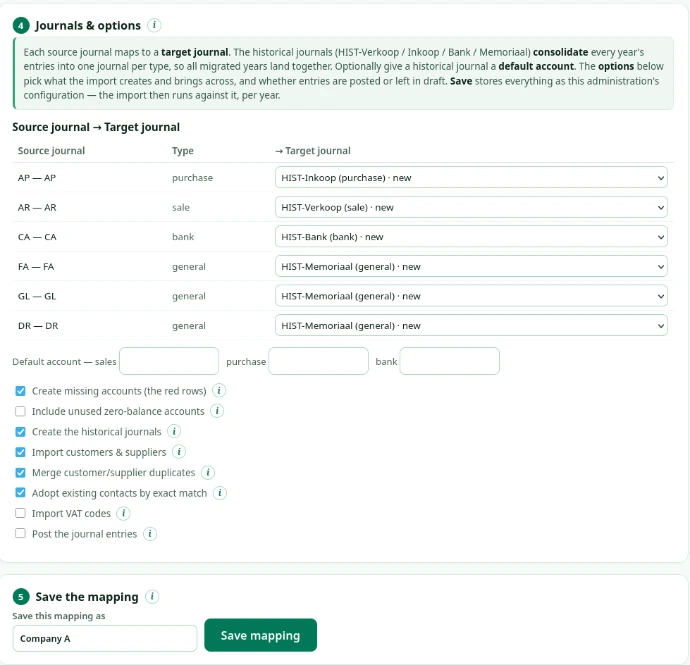
- Map the journals and set the options, once per administration, and save.
- Run the import — and re-run it for each further year against the saved mapping.
Everything is visible per step, so you can see exactly what was read, what was mapped, and what was written.
Details
- Customization in Odoo: No
- Deployments: Odoo Online, Odoo.sh, on-premise, OCA
- Modules: Contacts, Accounting